Good news, for me and hopefully for you too!! Here’s a little project I’ve been working on for a while. It gave me a hard time, and I’m proud to finally show it to you (and a little stressed…).
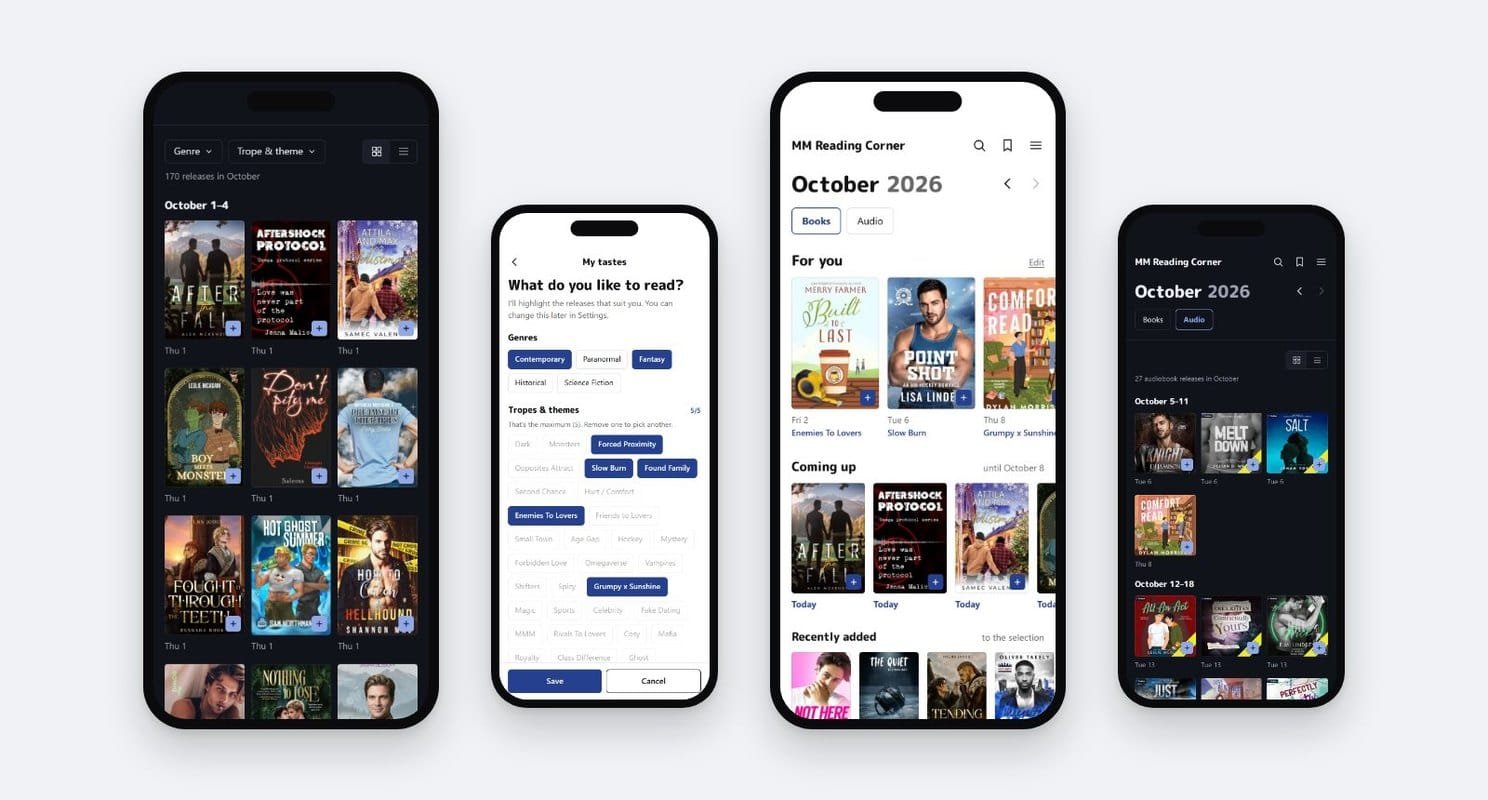
It’s a free app to keep up with new MM romance releases on your phone, in English and in French, books and audiobooks. I check every release before adding it, the author as well as the cover, to keep out AI-generated books. I can’t read them all, so a mistake can slip through.
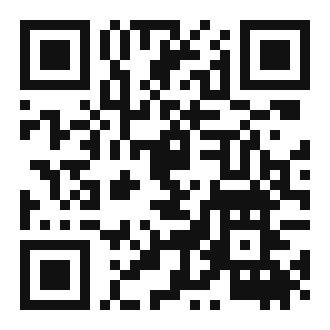
The app is made for your phone. Scan this code with your phone’s camera to open it, or type app.mmreadingcorner.com in its browser.
What the app does right now
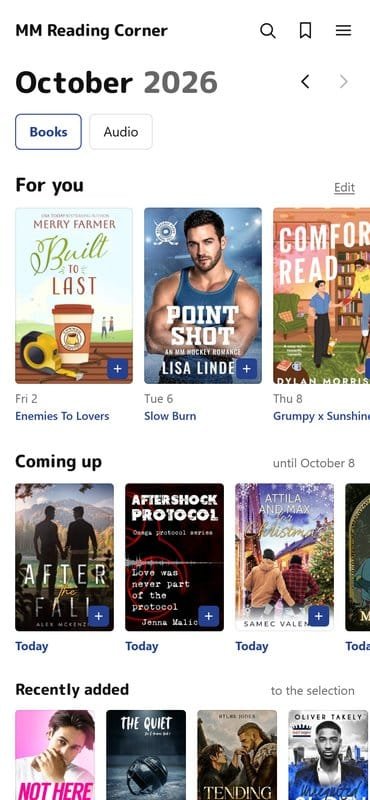
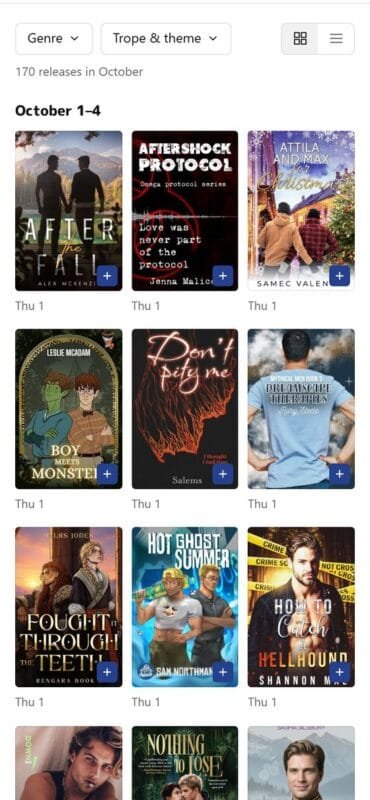
- The monthly calendarThe month’s MM releases, sorted by week, as a grid or a list. Past months stay available.
- AudiobooksA separate calendar for audiobook releases, with the narrator and the listening time.
- For youThe releases that match the genres and tropes you picked.
- Coming up and recently addedWhat’s out in the next seven days, and the latest books added to the app.
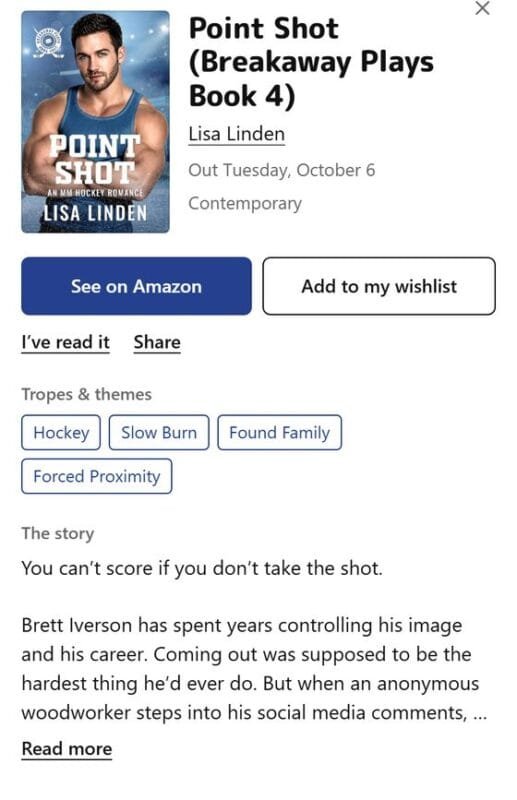
- Filters and searchBy genre, by trope, by title or by author. On a book page, tap a trope to see every release of the month that has it.
- ShareSend a book to someone on WhatsApp, Messenger or by text: the link opens straight on its page.
- My listwith an accountYour wishlist, books and audiobooks, and the books you’ve read with your rating and reading date.
- Alertswith an accountA notification on the day a book from your wishlist comes out, and at the start of each month.
Your account
With a free account, you keep your wishlist and the books you’ve read on all your devices, and you get alerts. If you change phones, you don’t lose anything.
Your account is secure: the connection is encrypted, your password is protected (even I can’t see it), and your list is only visible to you.
How to install it on your phone
For now, the app isn’t in the app stores: you install it straight from your browser, and it shows up on your home screen as “MM Corner”.
If I see that you like the app and that lots of you use it, I’ll put it on the stores. Since that costs money, I’m waiting to see how much interest there is first.
On Android
Open app.mmreadingcorner.com in Chrome, tap the menu at the top right (the three dots), then “Install app” or “Add to Home screen”.
On iPhone
Open app.mmreadingcorner.com in Safari, tap the Share button (the square with an arrow pointing up), then “Add to Home Screen”. That’s also what lets you get alerts.
A final word
Thank you all for your encouragement, this app wouldn’t exist without you.
I know it’s still far from finished, but I’m working on it, and I plan to add features over the coming months. In the meantime, it’s already there to keep up with MM releases, in English and in French.
Don’t hesitate to send me your feedback on Instagram: without it, I can’t make the app better!
The app is made for your phone. Scan this code with your phone’s camera to open it, or type app.mmreadingcorner.com in its browser.